Mobile · Accessibility
Goally
A paired product system for families with neurodiverse children. A child-facing device that scaffolds daily routines, and a parent companion app that configures them. Shipped through the 2018 Boulder TechStars cohort.
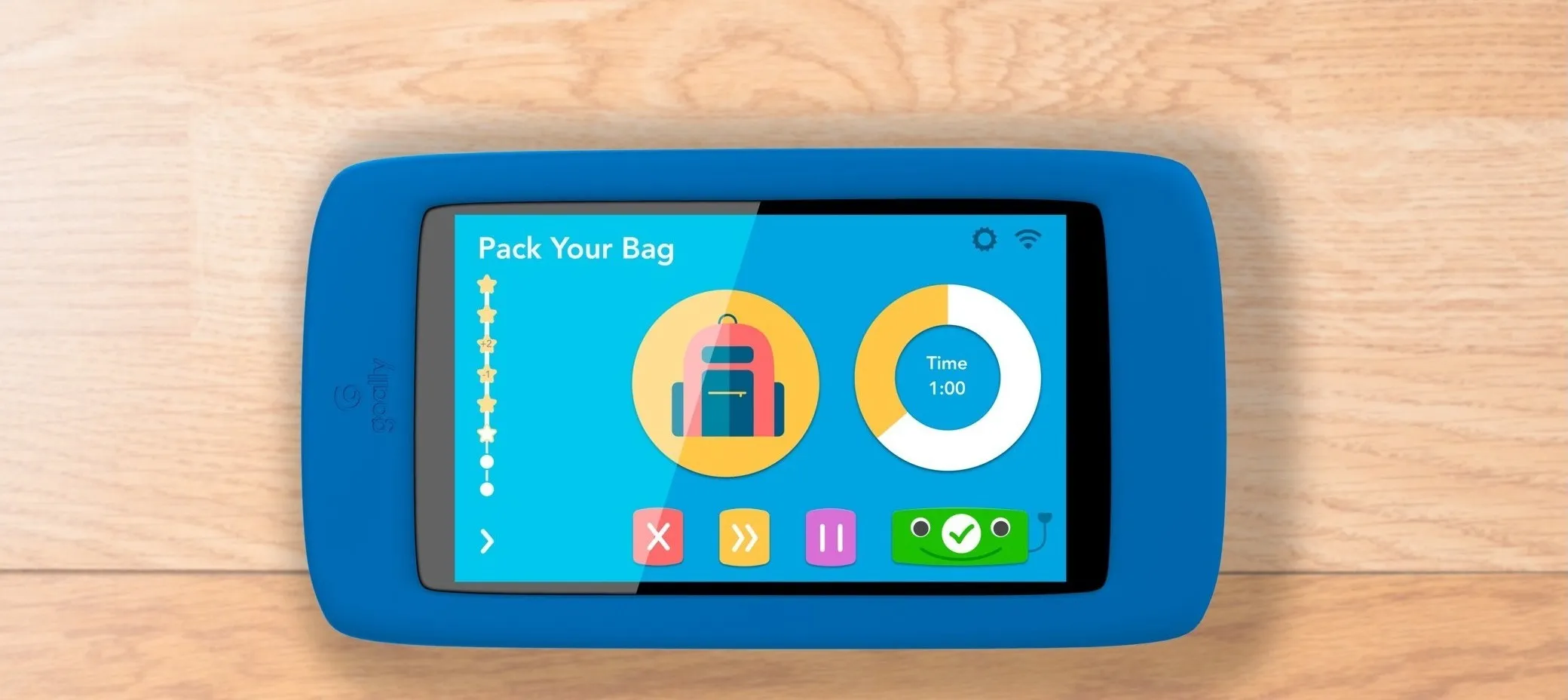
The problem
Families with neurodiverse children run on routines: mornings, homework, bedtime, and the transitions in between. For a kid with ADHD or autism, one missed step can unravel the whole day. For the parent, managing that sequence every day, on top of everything else, is its own kind of exhaustion.
Goally was building for exactly this. A locked-down child device ran a single app that walked a child through their routines, and a parent app let parents build and adjust those routines from a phone. My job was to design both, in under a month, before TechStars demo day.
Role and team
I was the sole designer on a small team of engineers and a behavioral technician. I owned branding, UX, and UI across both products, and TechStars mentors were on call for critique. The parents and kids who tested the product were effectively part of the team too. Their feedback drove most of the decisions that mattered.
Why it fit me
Before Goally I spent eight years at Denver Public Library. I led a UX redesign of the library’s website and designed ADA-compliant wayfinding for twenty-six branches. That work taught me that accessibility is less about WCAG checklists and more about reducing cognitive load, making the next step obvious, and remembering that the person using the thing might be tired, distracted, or overwhelmed.
That lesson carried straight over. A six-year-old with ADHD and a stressed parent at 7:45am are both users in a high-load moment. The job is to get out of their way.
Starting point
Goally had shipped an early version of the child app before I joined. Engineering built it to get into the TechStars cohort. It worked, in that kids could see their routines and check off tasks, but it was built to prove a concept, not to live in a child’s hands. We had one month to redesign it before demo day. The deadline helped. There was no time for every edge case, only for what mattered.
Designing for the child
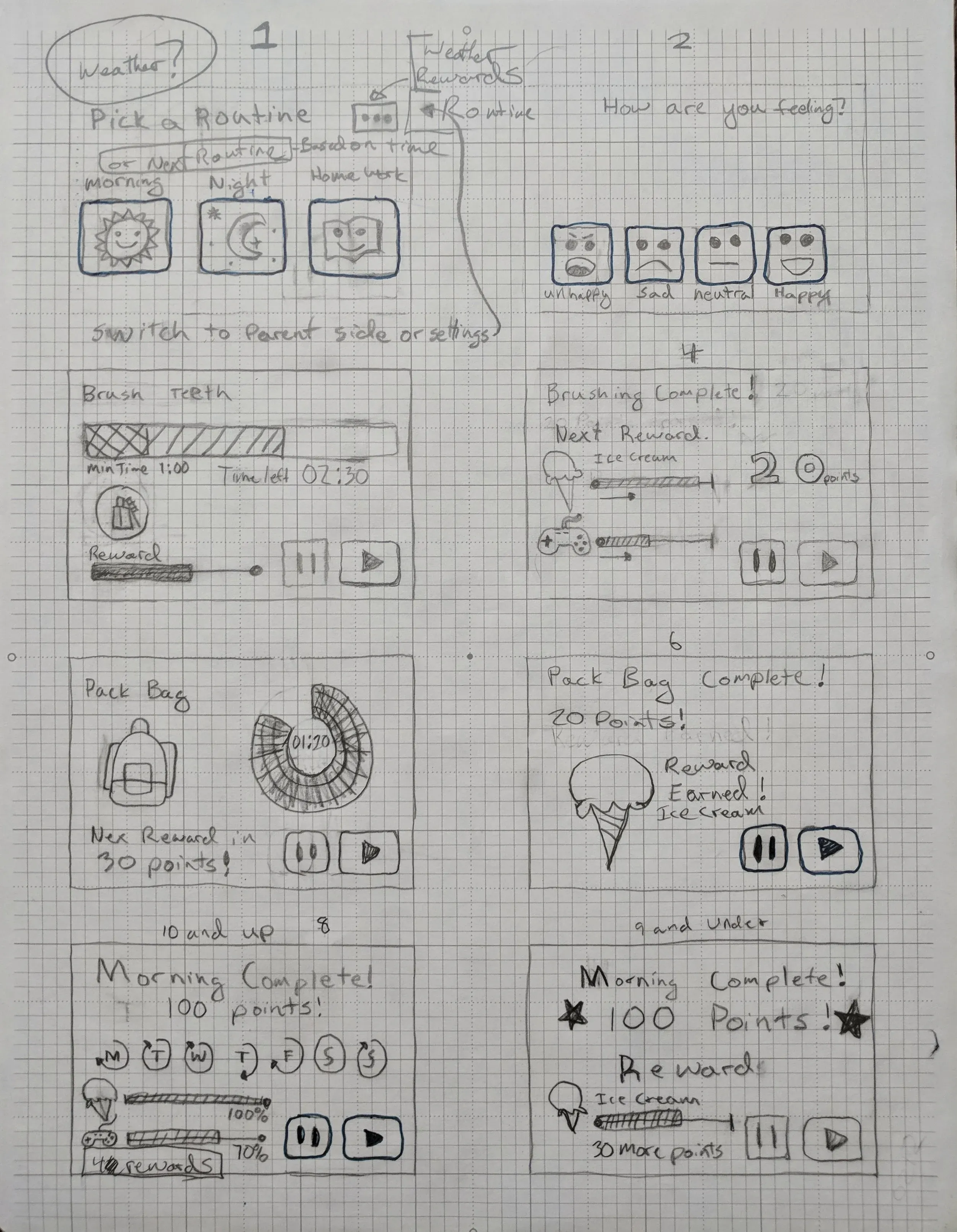
A neurodiverse child doesn’t easily carry what they learned in one step into the next. Each task can feel disconnected from the one before, which is part of what makes finishing a sequence so hard. Showing the steps wasn’t the hard part. Connecting them was.
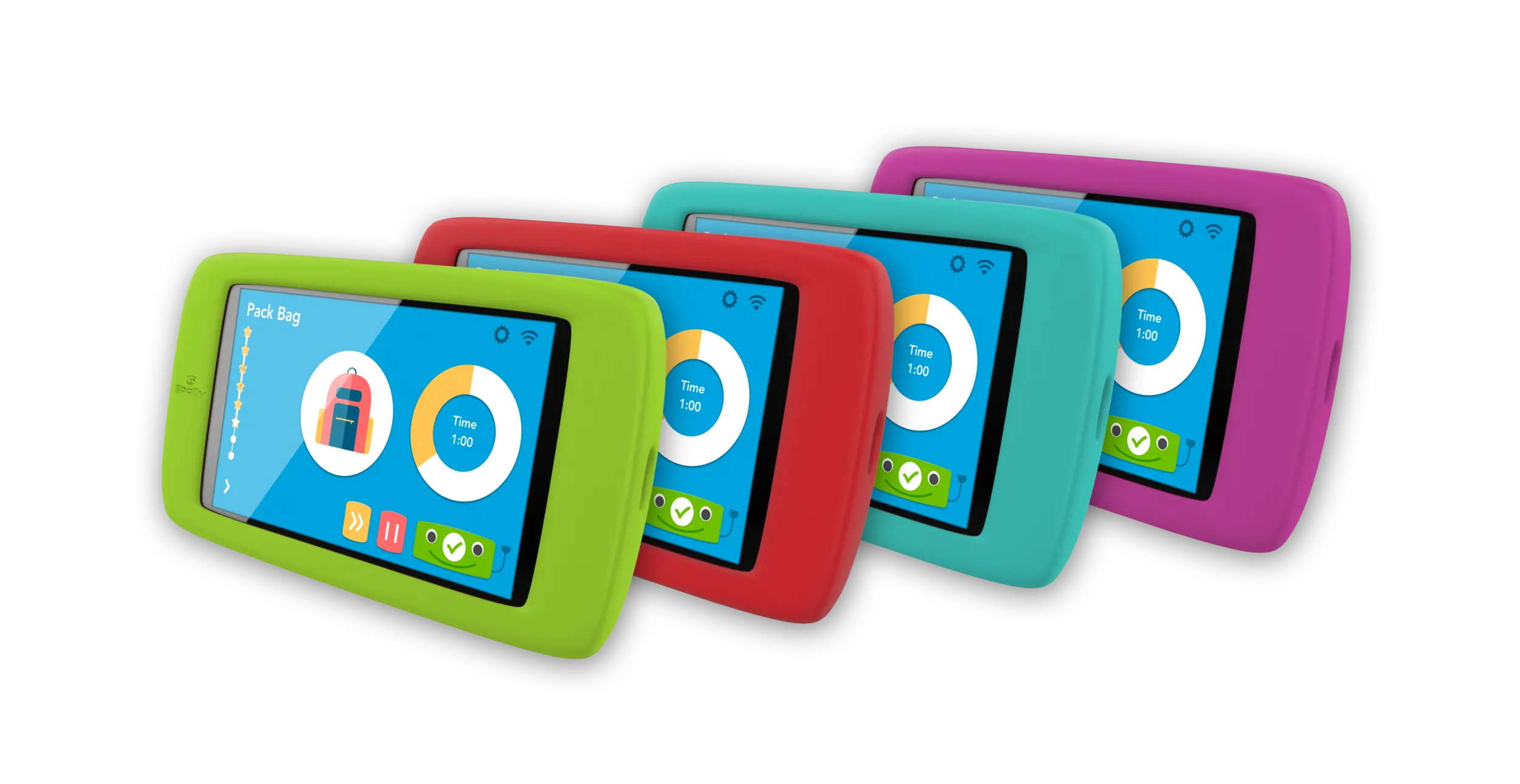
The device ran one app and nothing else, so nothing competed with the task at hand. That let me design the whole screen around a single thing: the current step, with enough feedback that finishing it felt worth doing.
Early on I sketched a character with a face and arms that could nod, celebrate, or point toward the next action. Stakeholders read it as decoration, but it was doing a job. For a child who struggles to move between steps, a friendly, predictable presence that noticed every finished task gave the routine a thread to follow. Kids in testing talked to it. They waited for its reaction before moving on.
Designing for the parent
The parent app had a different user and a different job: build and adjust routines without opening a laptop. The discipline here was restraint. A parent who opens this app at 6am isn’t looking for features. They want to be done.
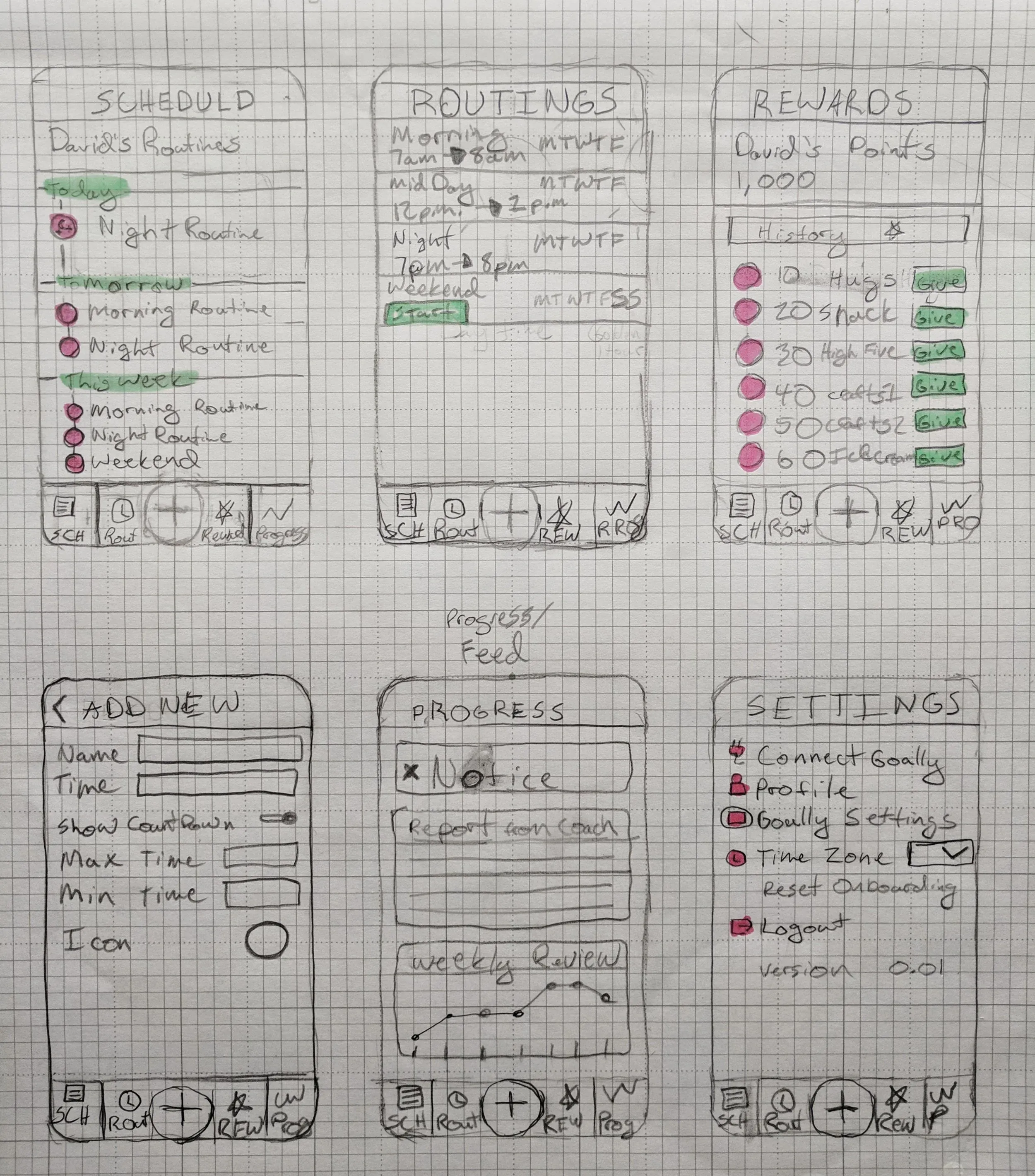
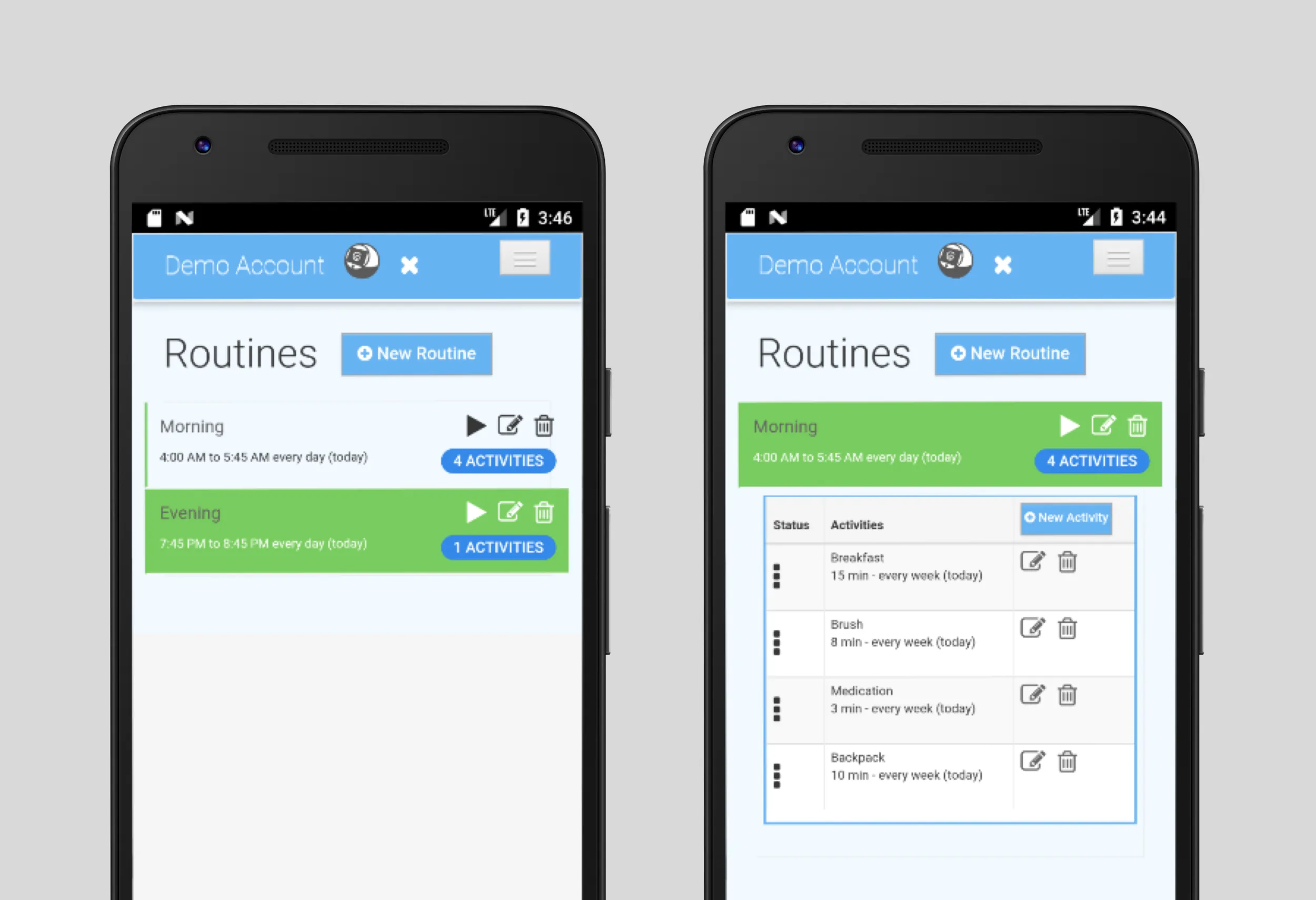
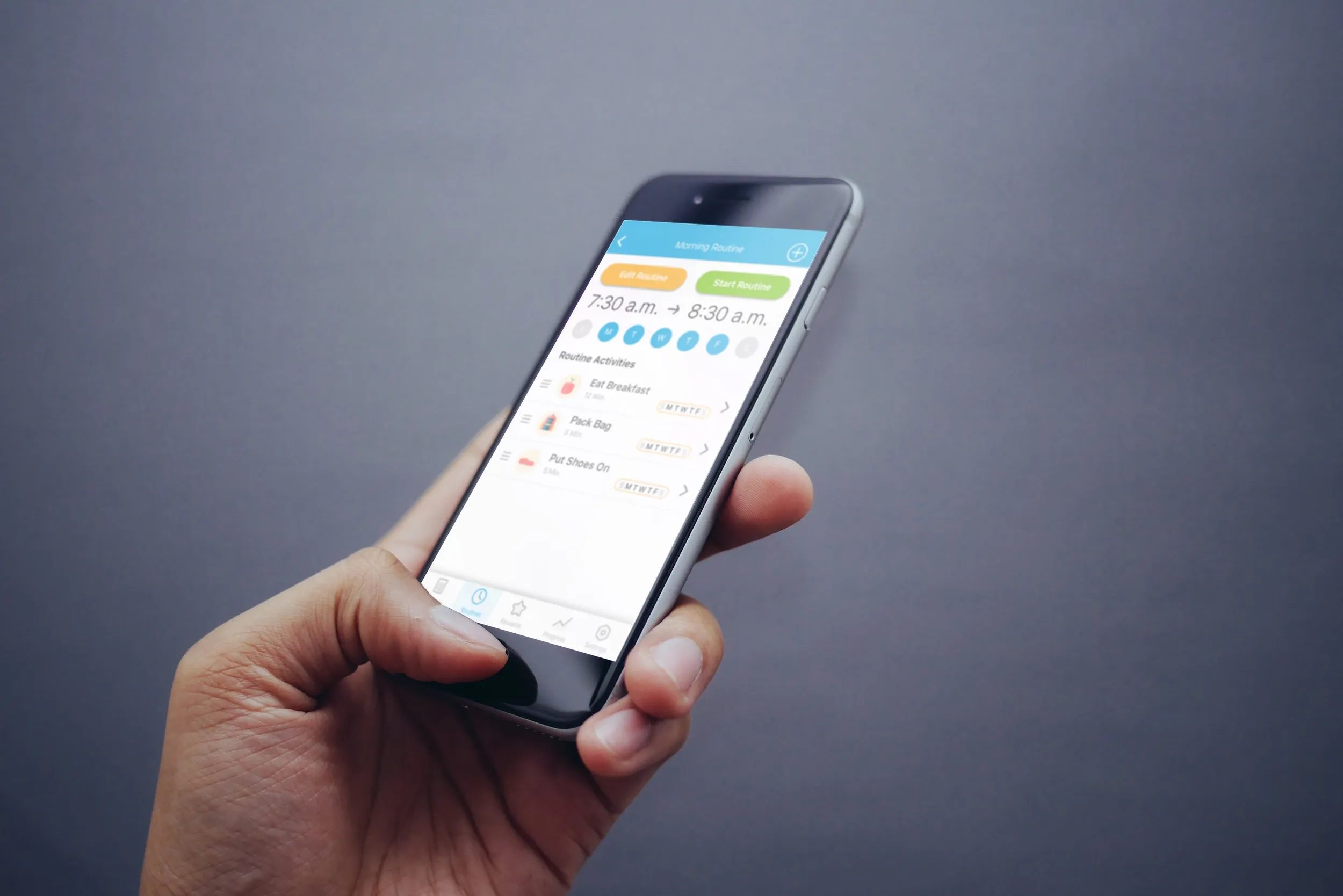
I kept setup to four steps: create a routine, add activities, set a schedule, and send it to the device. Anything that made that harder got cut. The one-month timeline kept us honest in a way a longer project might not have.
Making two apps feel like one product
This was the hardest part of the work, and the easiest to break without noticing if we didn’t plan for it from the start.
The risk was specific. A parent sets up a routine on their phone, and their child sees something that looks or behaves differently. Even a small gap breaks trust. The parent stops believing that what they set up is what their child sees, and the child runs into something unexpected, which is exactly what the product exists to prevent.
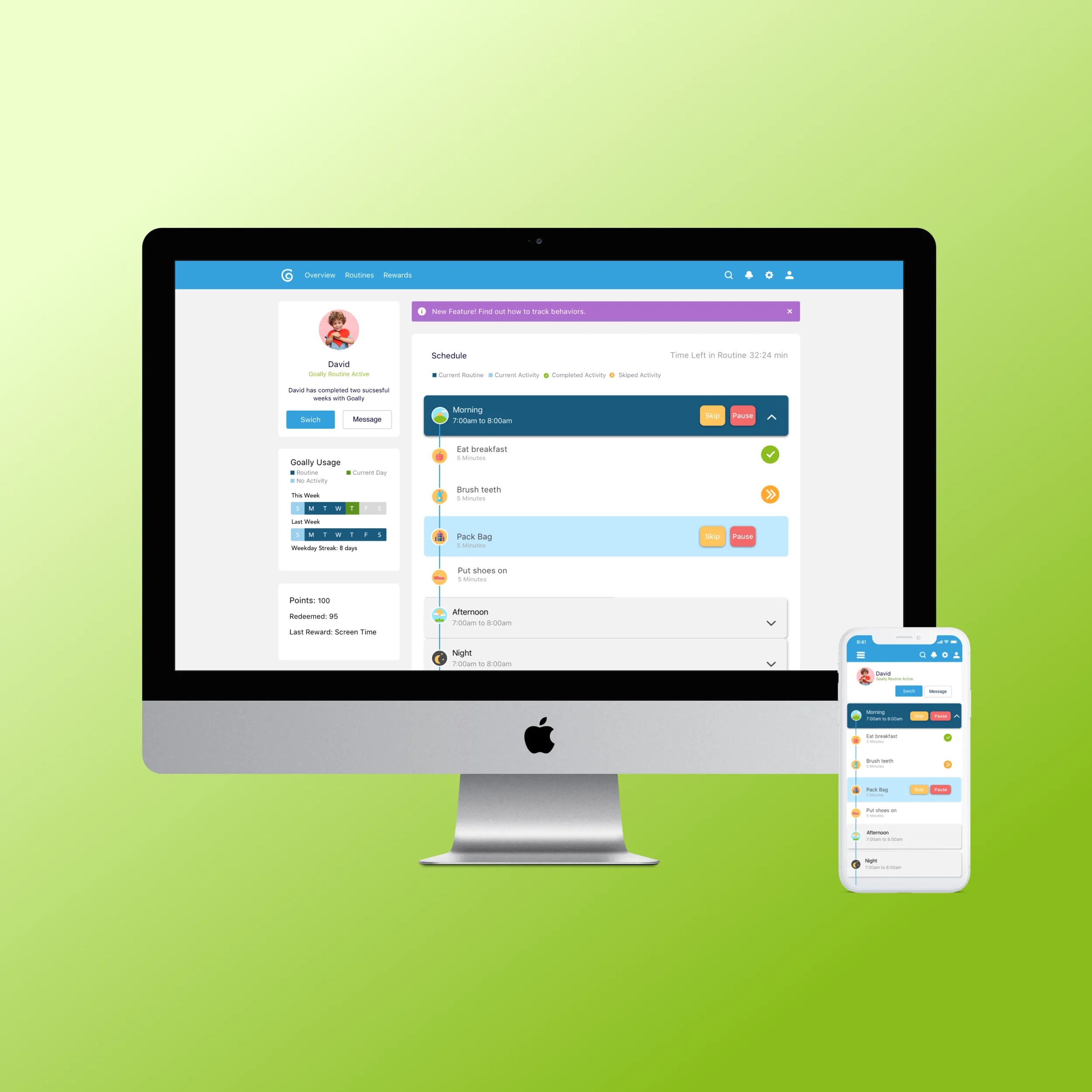
So I designed both apps in the same Figma file, on the same component library. A task looked identical on both sides. The color system was shared and tuned for high contrast. I designed each sync as one flow from the parent’s tap to the child’s screen. The payoff was hard to measure but real. Parents in testing said they trusted that what they set up was what their child experienced.
Testing with real families
Before launch, a group of parents beta-tested both apps with their kids and sent their feedback as recorded video. It was more useful than any interview I have run. I could see exactly where a child hesitated, where a parent misread a label at 7am and got lost two steps later, and where the character’s animation ran just long enough to feel like a pause instead of encouragement.
Most of the changes in the final sprint came from those videos. We made the tap targets bigger on the child app, made it clearer on the parent app when a routine had been sent to the device, and rewrote three labels where what I meant and what parents read didn’t match.
Outcome
Both products shipped. The child device launched at TechStars demo day in 2018, and the MyGoally parent app went live on the App Store and Google Play the same week. Goally graduated from the 2018 Boulder TechStars cohort with a working paired-product system in families’ hands, and both apps are still in use. I stayed on after launch, making improvements as feedback came in from families.
What I took from it
Designing for neurodiverse children made me a better designer for everyone. Fewer choices, an obvious next step, and a small celebration when something gets done work for anyone under load. Designing the two apps as one product from the start was worth the extra effort. They shipped faster and stayed more consistent than two apps bolted together later would have. And watching real families use the product in their own kitchens taught me more than any lab session I have run.