Goally
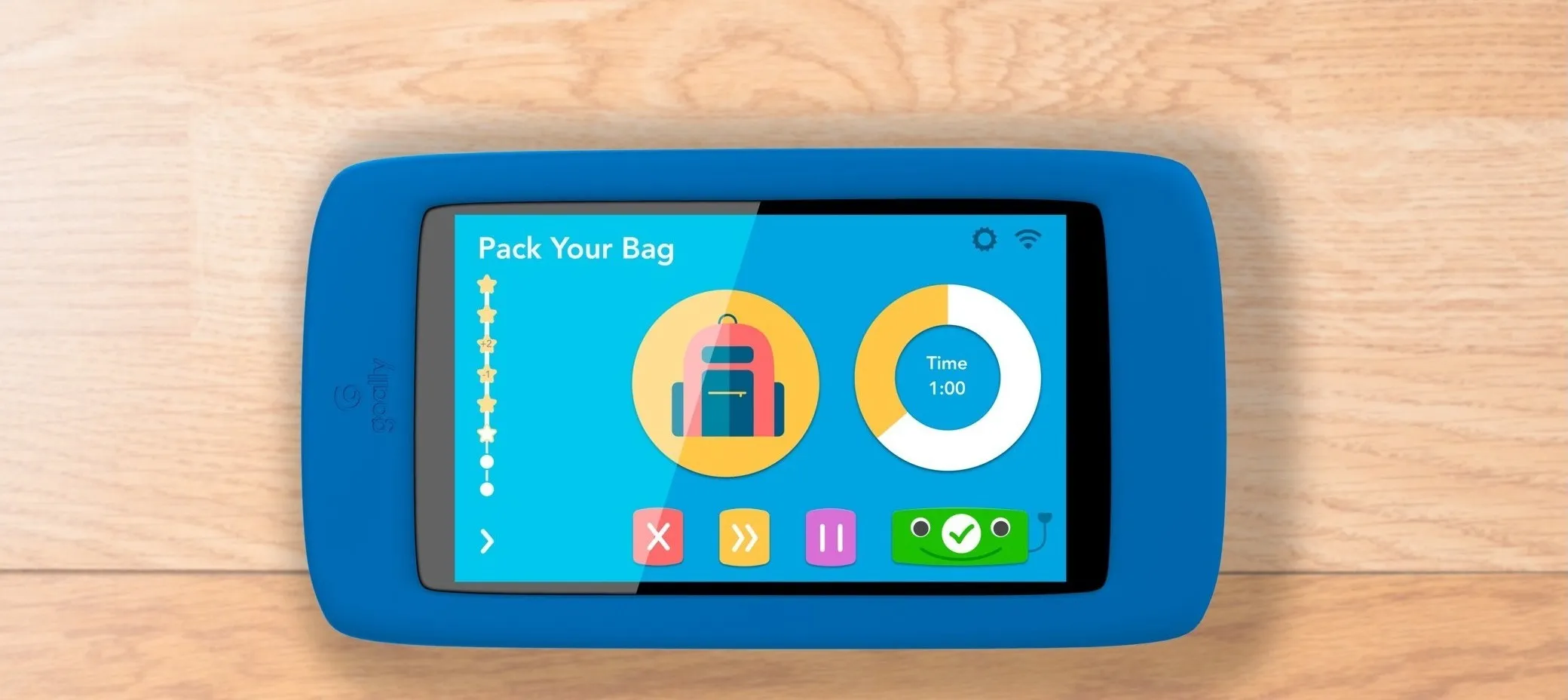
A paired product system for families with neurodiverse children. A child-facing device that scaffolds daily routines, and a parent companion app that configures them. Shipped through the 2018 Boulder TechStars cohort.
The problem
Families with neurodiverse children run on routines. Mornings, homework, bedtime, transitions. For a child with ADHD or autism, a missing step can unravel the rest of the day. For the parent, managing that sequence every single day, alongside work and everything else, is its own kind of exhaustion.
Goally was building a product to help: a locked-down child device with a single app that walks a child through their routines, paired with a parent app that lets the adult build and adjust those routines from their phone. My job was to design both, in under a month, before TechStars demo day.
Role and team
Sole designer on a small team of engineers and a behavioral technician. The parents and children who tested the product became, in effect, a fourth part of the team, and their feedback drove most of the decisions that mattered. I owned branding, UX, and UI across both products, with TechStars mentors available for critique along the way.
Why this project fit me
Before Goally I spent eight years at Denver Public Library, where I led a UX redesign of the library’s site and designed ADA-compliant wayfinding for twenty-six locations. That work taught me how much of accessibility is not about WCAG checklists. It is about reducing cognitive load, making the next step obvious, and respecting that the person using the thing might be arriving tired, distracted, or overwhelmed.
That lens transferred almost directly to designing for neurodiverse kids. A six-year-old with ADHD and a stressed parent at 7:45 in the morning are both users in a high-load moment. The design job is to get out of their way.
Starting point
Goally had shipped an early version of the child app before I joined, built by the engineering team to land the TechStars cohort. It worked. Kids could see their routines and check off tasks. But it had been built to prove a concept, not to live in a child’s hands, and the company had one month to ship a redesign before demo day.
That constraint turned out to be useful. There was no time to design for every edge case. The work had to focus on what actually mattered.
Designing for the child
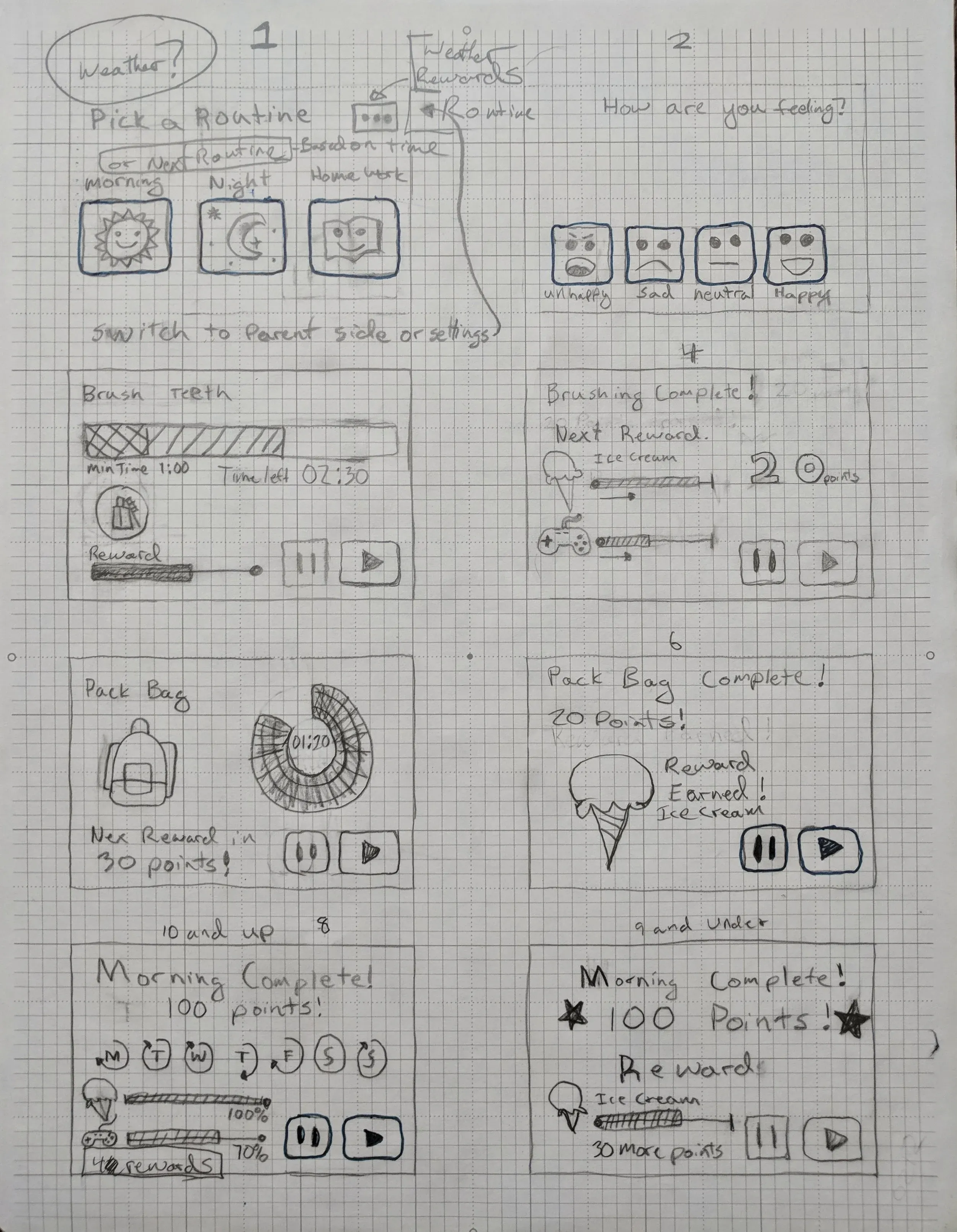
A neurodiverse child does not easily generalize from one step to the next. Each task in a routine can feel disconnected from the one before it, which is part of what makes completing a sequence hard. The design problem was not just showing the steps. It was creating continuity between them.
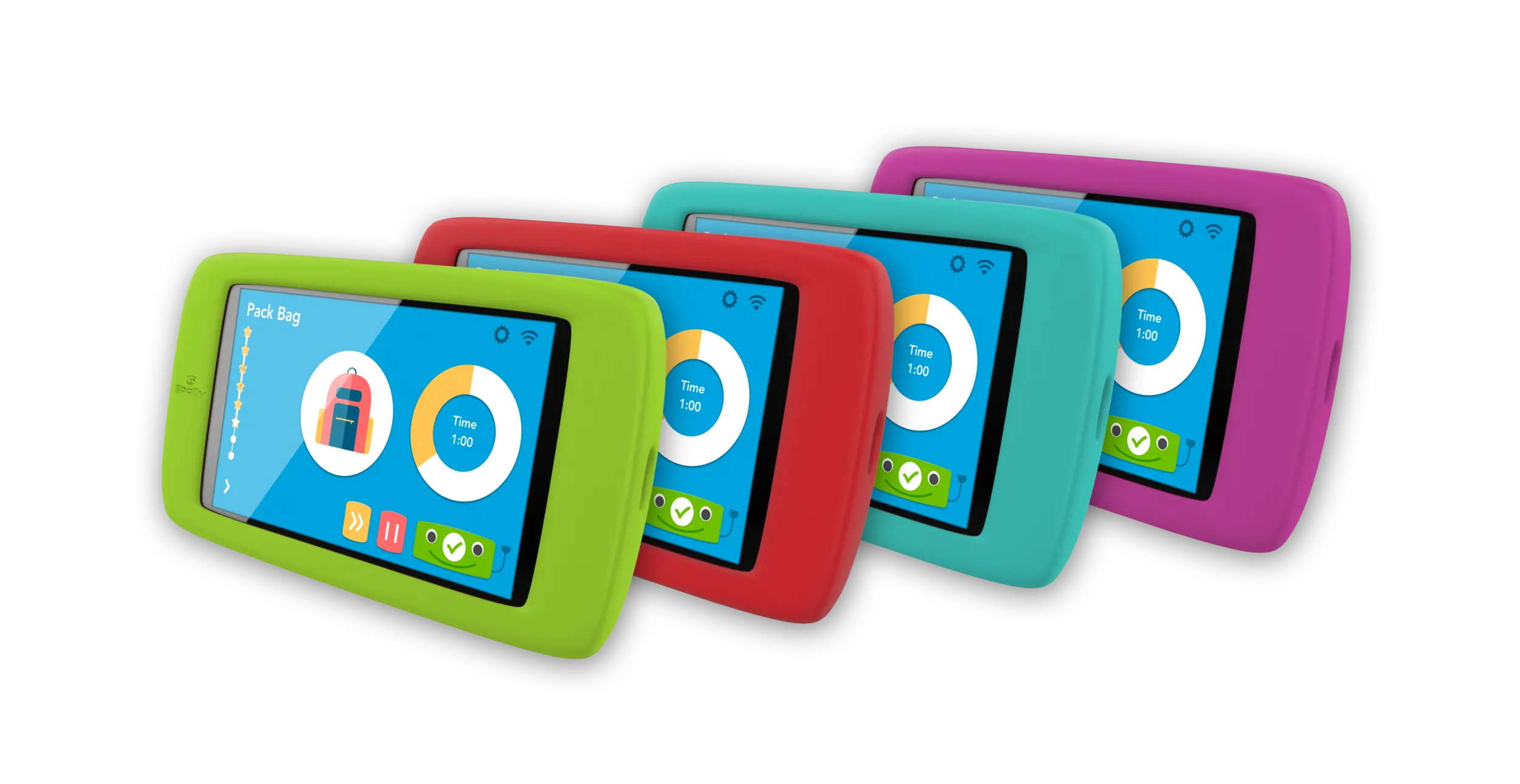
The device runs a single app with nothing to distract from the task at hand. That constraint became an asset. I could design the entire screen around one thing: the current step, with enough feedback for completion that finishing felt worth doing.
Early in the design I sketched an anthropomorphic character with a face and arms that could nod, celebrate, or gesture toward the next action. Stakeholders read this as a cosmetic decision. It was not. The character was the connective tissue. For a child who struggles to move from step to step, a consistent, predictable presence that acknowledged each completion and pointed toward the next one gave the whole sequence a narrative thread. Kids in testing talked to the character. They waited for its reaction before moving on. It was doing real work.
Designing for the parent
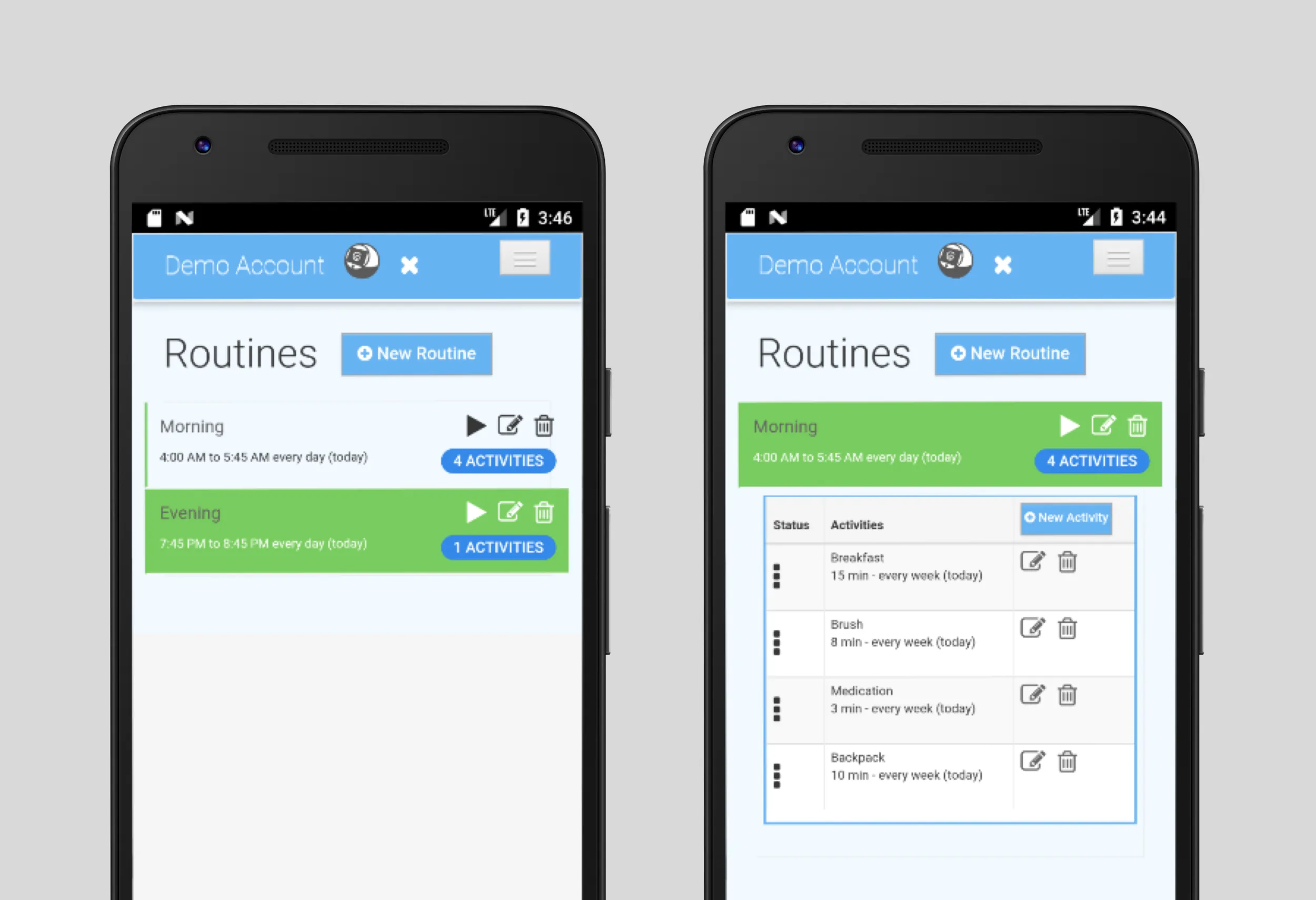
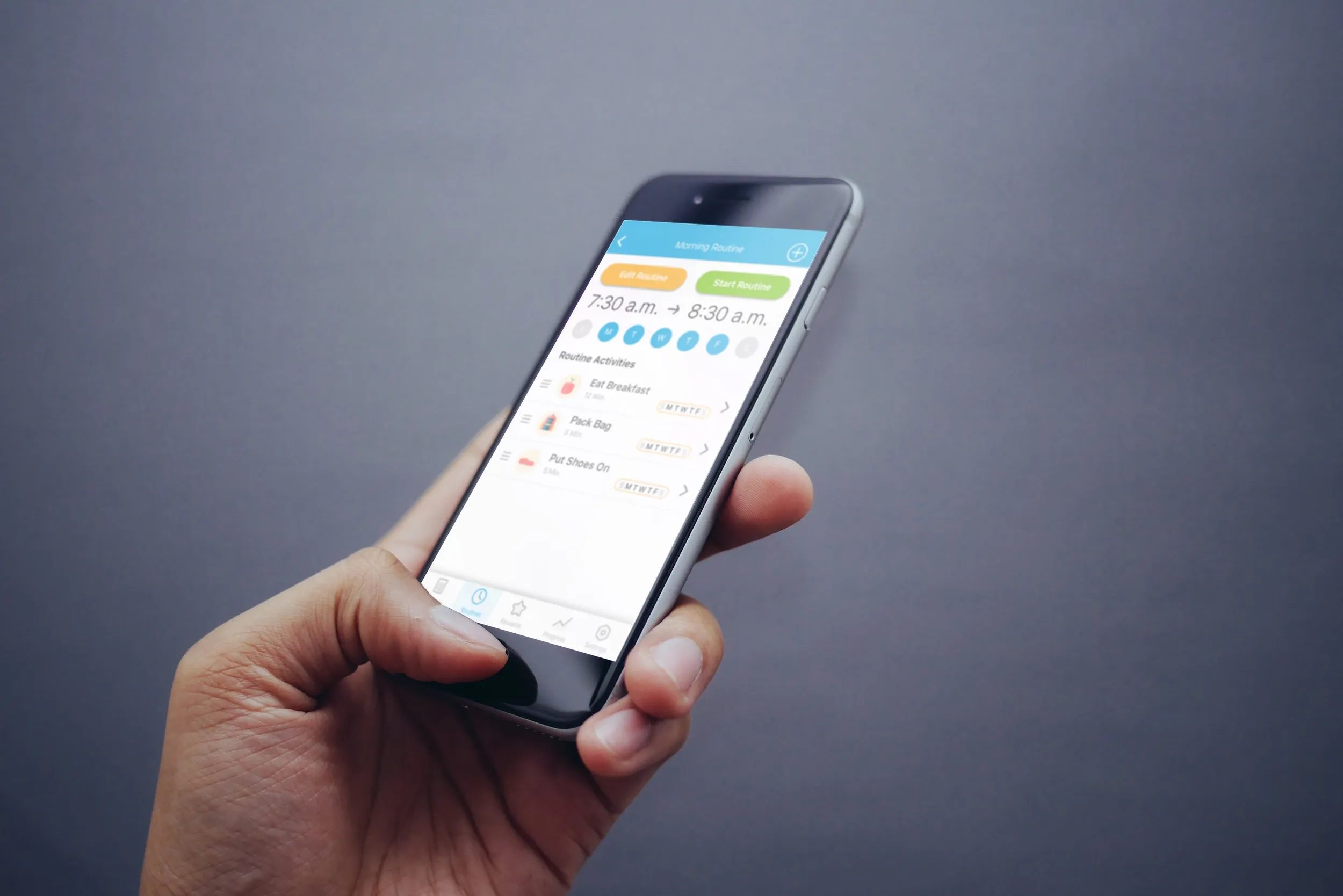
The parent app had a different job and a different user. Parents wanted to build and adjust routines without opening a laptop. Before the parent app, that meant a web interface that did not work well on a phone.
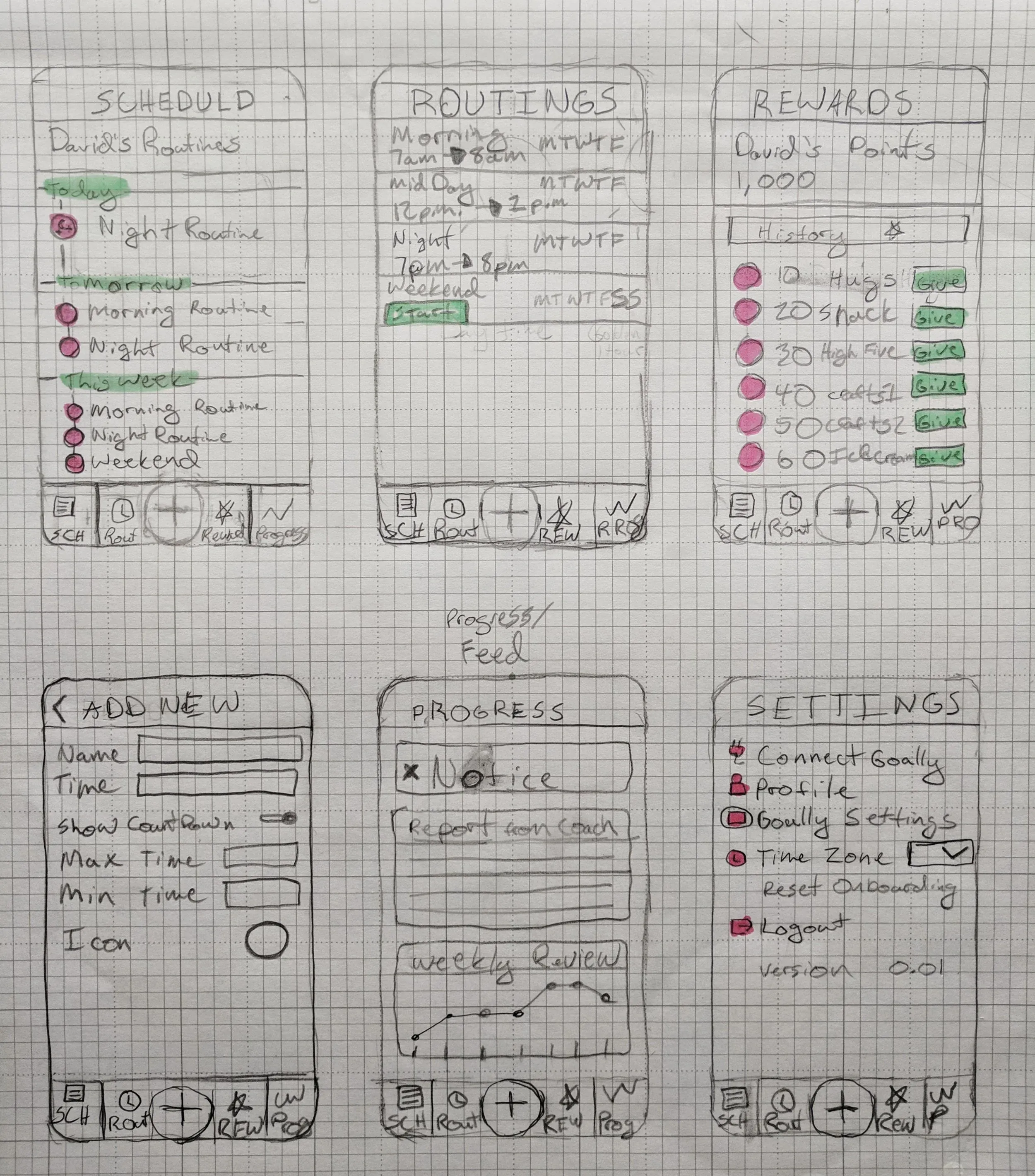
The design discipline here was restraint. Every screen had to do one thing and get out of the way. A parent opening this app at 6am is not looking for a feature-rich experience. They are looking for done.
I kept the configuration flow to four steps: create a routine, add activities, set a schedule, push to the device. Anything that complicated that flow got cut. The one-month timeline enforced that discipline in a way that a longer engagement might not have.
.BSFrudvY_Z1SRux4.webp)
Making two apps feel like one product
This was the hardest part of the work, and the part most likely to break quietly if you did not plan for it from the start.
The risk was specific: a parent would configure a routine on their phone and their child would encounter something that looked or behaved differently from what the parent had set up. That gap, even a small one, destroys trust. The parent loses confidence that what they configure is what their child experiences. The child encounters something unexpected, which is exactly what this product is supposed to prevent.
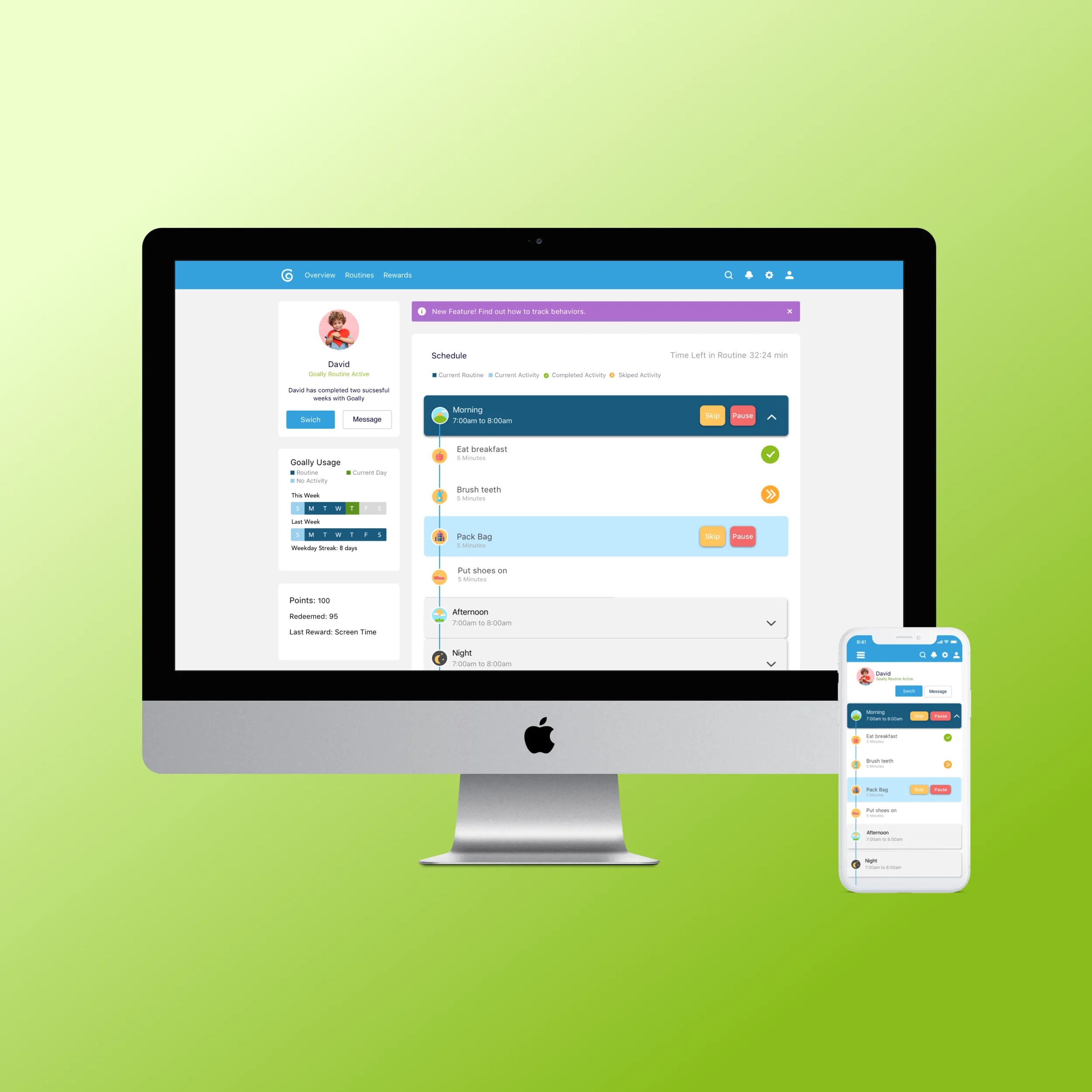
I designed both apps in the same Figma file, with the same component library. Task items looked identical on both sides. The color system was shared and tuned for high contrast. Every sync pattern was designed as a single flow rather than two separate endpoints meeting in the middle.
What that work bought was something harder to measure than a metric: parents in testing said they felt confident that what they set up was what their child experienced. That confidence is easy to lose and hard to rebuild, and it came entirely from treating the two apps as one product from day one.
Testing with real families
Before launch, a group of parents beta-tested both apps with their kids. Feedback came back as recorded video, and it was more useful than any interview I have run.
I could see exactly where a child hesitated. I could see a parent squinting at a label at 7am in their kitchen, misreading it, moving past it, and getting confused two steps later. I could see where the character’s animation landed and where it was just slow enough to feel like a pause instead of encouragement.
Most of the changes in the final sprint came from those videos. Bigger tap targets on the child app. Clearer completion state on the parent app when a routine had been pushed to the device. Tighter labels in three places where my meaning and the parent’s reading did not match.
Outcome
Both products shipped. The child device launched at TechStars demo day in 2018. The MyGoally Parent app went live on the App Store and Google Play the same week. Goally graduated from the 2018 Boulder TechStars cohort with a working paired-product system in families’ hands.
The company has continued building on that foundation. Both apps are still in use. I stayed involved after the launch, making incremental improvements as feedback came in from families in the field.
What I took from it
Designing for neurodiverse children made me a better designer for everyone. The principles that worked for a distracted six-year-old turned out to be good principles for designing software for anyone operating under load: reduce choices, make the next step obvious, celebrate small wins.
Paired-product systems are worth the extra work. The two apps shipped faster, stayed more consistent, and were easier to evolve because they were designed as one product from the start rather than bolted together afterward.
And video feedback from real users in real environments beats every other form of testing I have tried. Watching a parent miss a tap target at 7am in their actual kitchen taught me more than a dozen lab sessions ever did.