Climate Risk · Data Viz
Geospiza PATH
Sole designer on a climate-risk planning platform. Live hazard data, adaptive-pathway planning, and a design system, delivered on a six-week MVP deadline.
The problem
Companies with hundreds of properties in high-risk areas know climate change is coming for their assets. What they don’t have is a way to plan for it. The risk managers and sustainability teams doing this work pulled data from a wide range of sources into spreadsheets, reports, and hand-drawn notes on maps. Then they stitched it all into a plan by hand. It was slow, manual, and hard to defend in front of stakeholders.
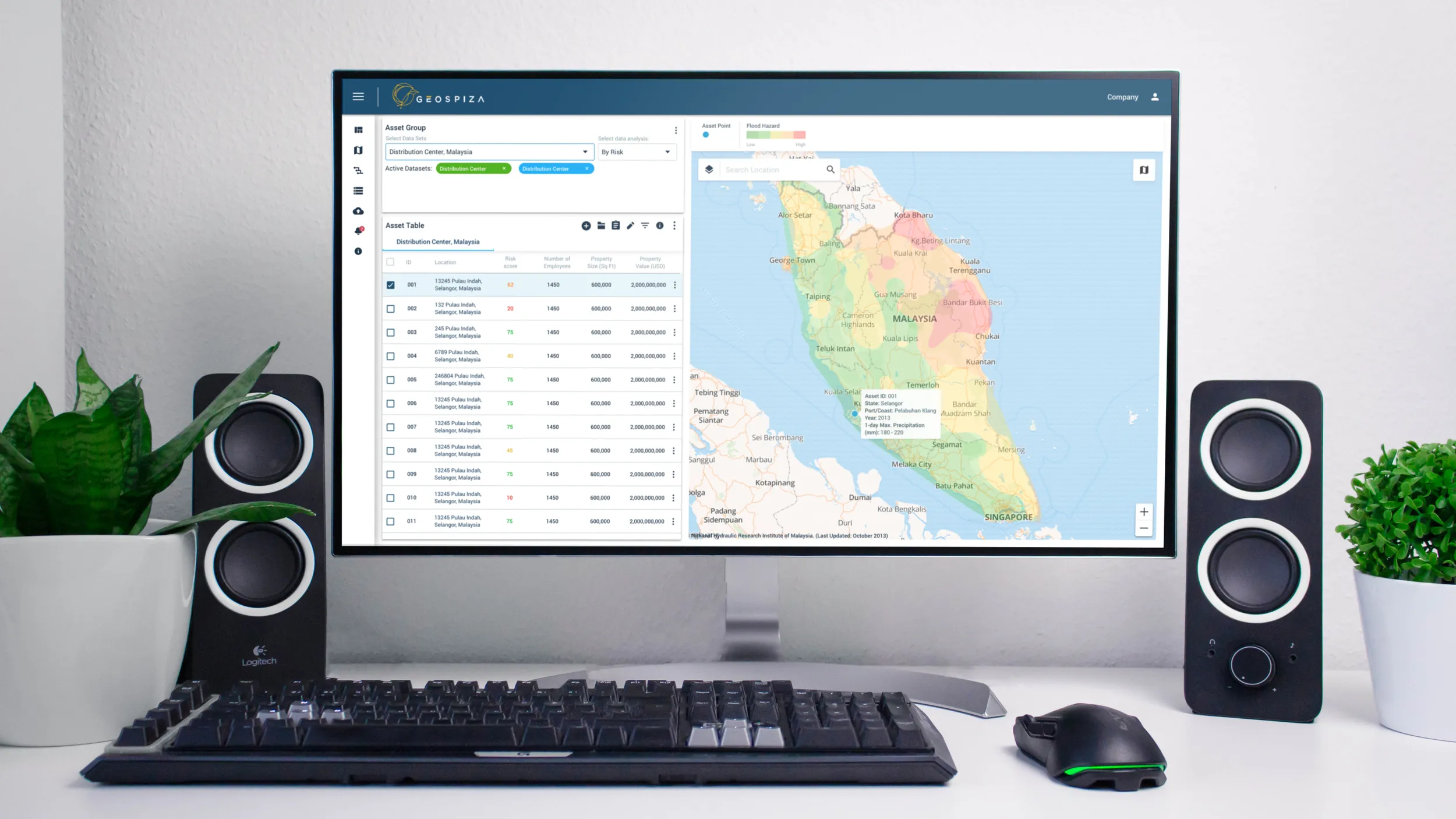
Geospiza had already built disaster-planning tools for cities, and saw the same need in the private sector. Their answer was Geospiza PATH, a web platform that puts live climate and hazard data on a map. Planners use its drawing tool to build risk-mitigation plans that update as the data changes. My job was to design it, and we had six weeks to reach a working MVP.
Role and team
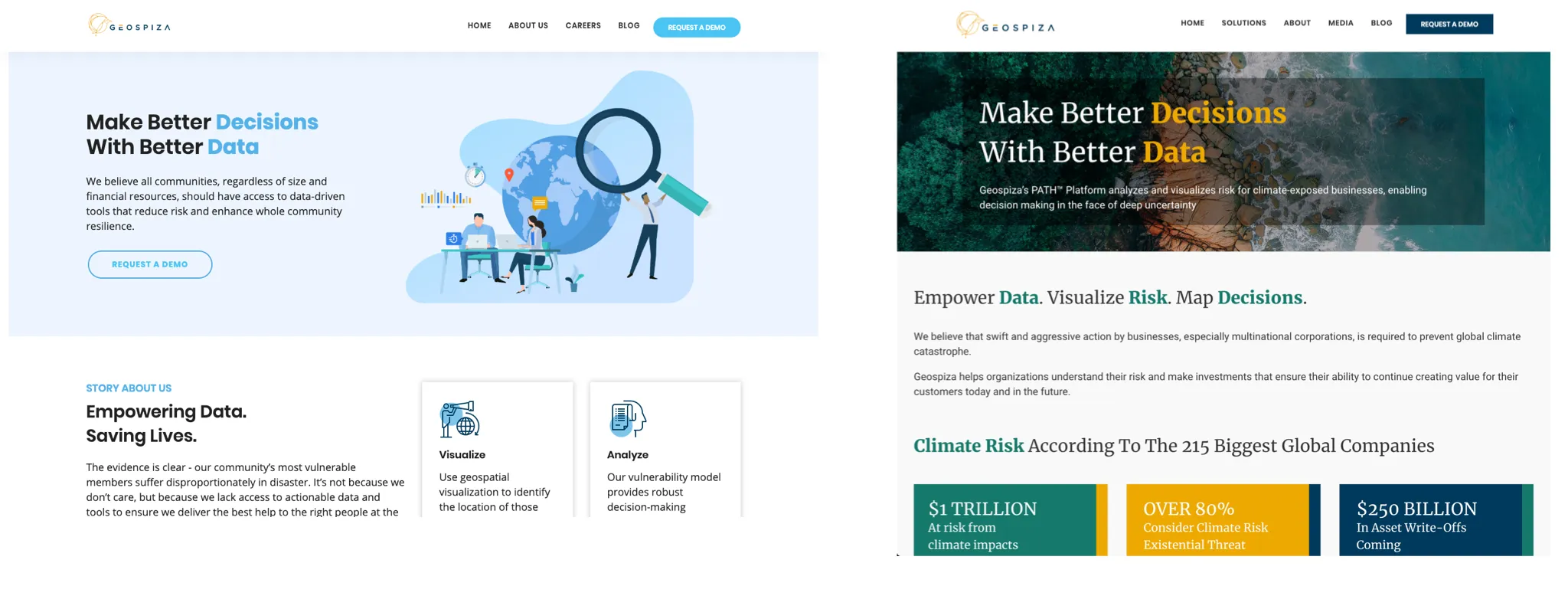
I was the sole designer, responsible for all of the UX, interaction, interface, and icon design. I worked alongside a product manager, a front-end engineer, a staff engineer, and the CTO. I also acted as Geospiza’s art director more broadly, which included a redesign of the company website.
Why it fit me
Before design, I was a technical drafter producing site plans and scaled construction documents. A platform built around a map, layered with property data and hazard overlays, is familiar ground. I already knew how to read this kind of drawing, and how people who work with spatial data every day expect it to behave. That made the hard part of the project, turning a planning method into a drawing tool, feel like drafting with new constraints rather than a leap into the unknown.
Research
The most useful discovery work came from partnering with a consulting firm that writes climate risk-mitigation plans for a living. Watching their process showed us exactly what the product had to replace: data scattered across sources, spreadsheets, documents, and map drawings, assembled into a final plan by hand. It also gave us our planning model. We built the product around the adaptive pathway method they used, where a plan branches based on conditions instead of committing to one fixed sequence.
The product manager and I ran the research together. We kept everything in a shared working doc: the adaptive pathway technique, example plans we studied, and a common vocabulary for the product so the whole team stayed aligned.
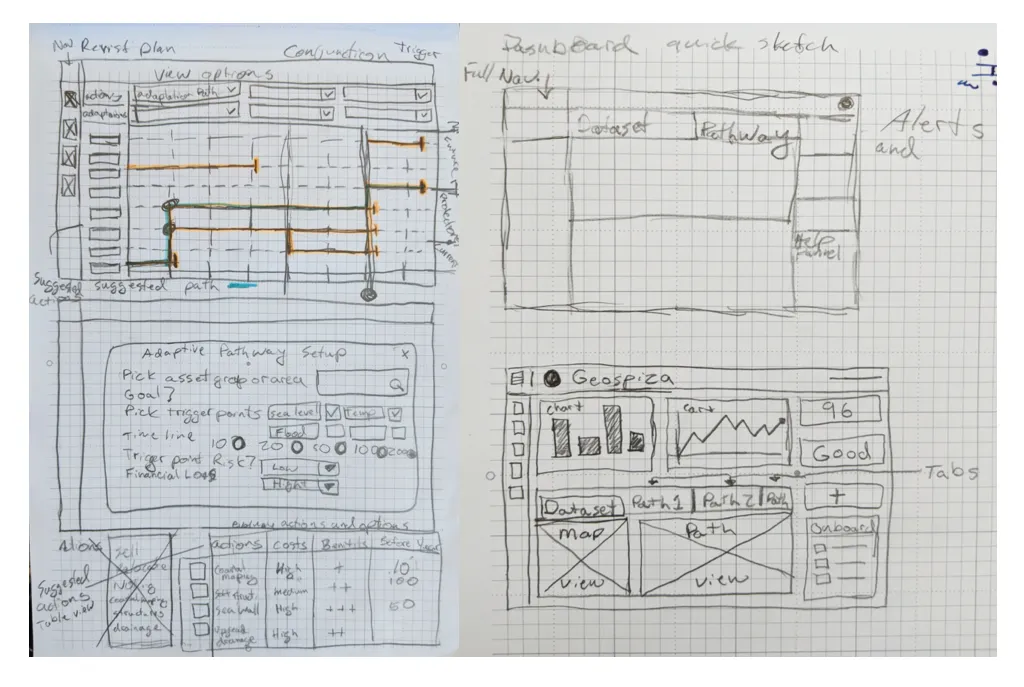
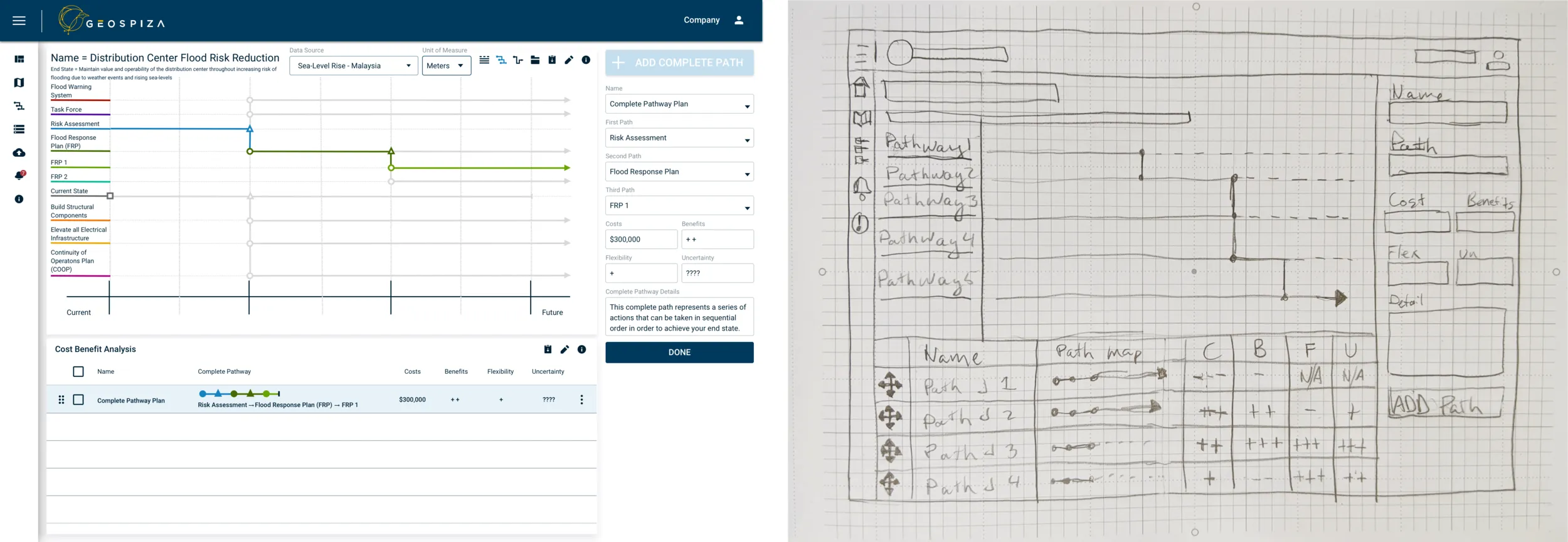
Then we co-created with the team. Everyone drew their own version of an adaptive pathway model and explained the process in their own words. Those drawings became the feature list for the core of the MVP: import property data from a CSV, put it on the map, show sea-level rise, flooding, and storm surge, and draw pathway plans on top.
Designing the pathway tool
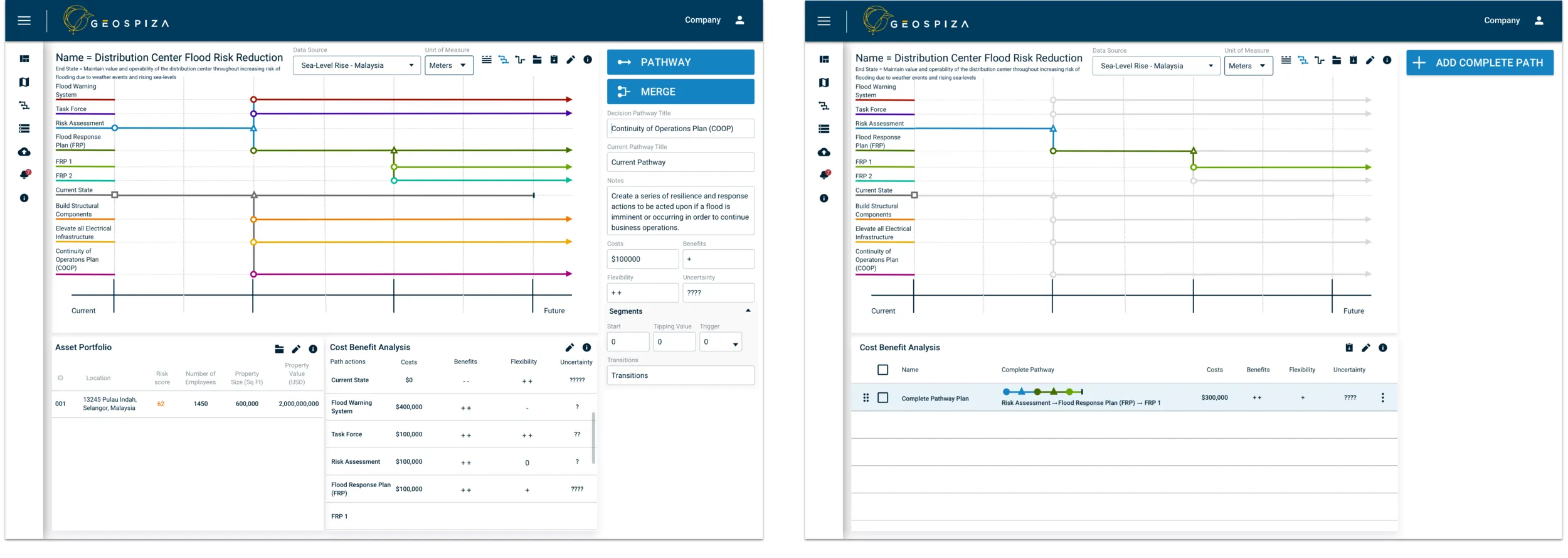
The adaptive pathway itself was the central challenge. The method lived in consultants’ heads and in static diagrams, and nobody on the team had seen it built as software. I moved from wireframes to mid-fidelity Sketch mockups to InVision prototypes. After each round I walked the PM, CTO, and engineers through it to check technical feasibility before going further. I stayed in constant contact with the engineers on purpose. On a six-week timeline, a design surprise in week four means a missed deadline.
A design system in parallel
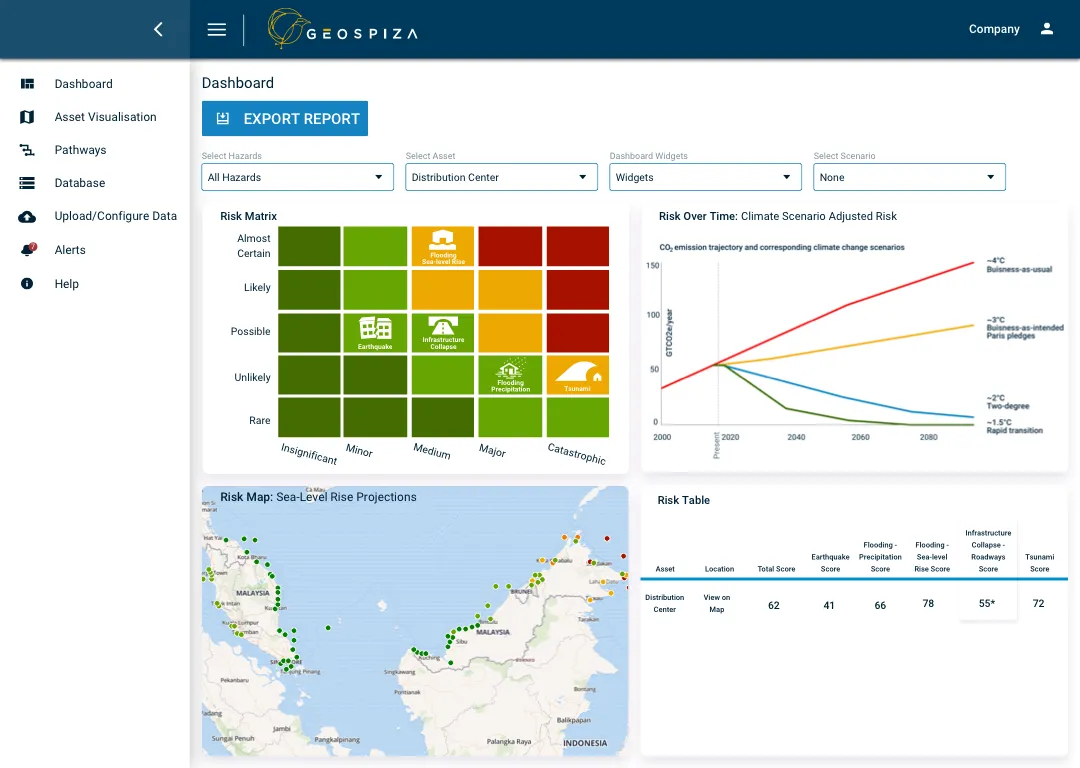
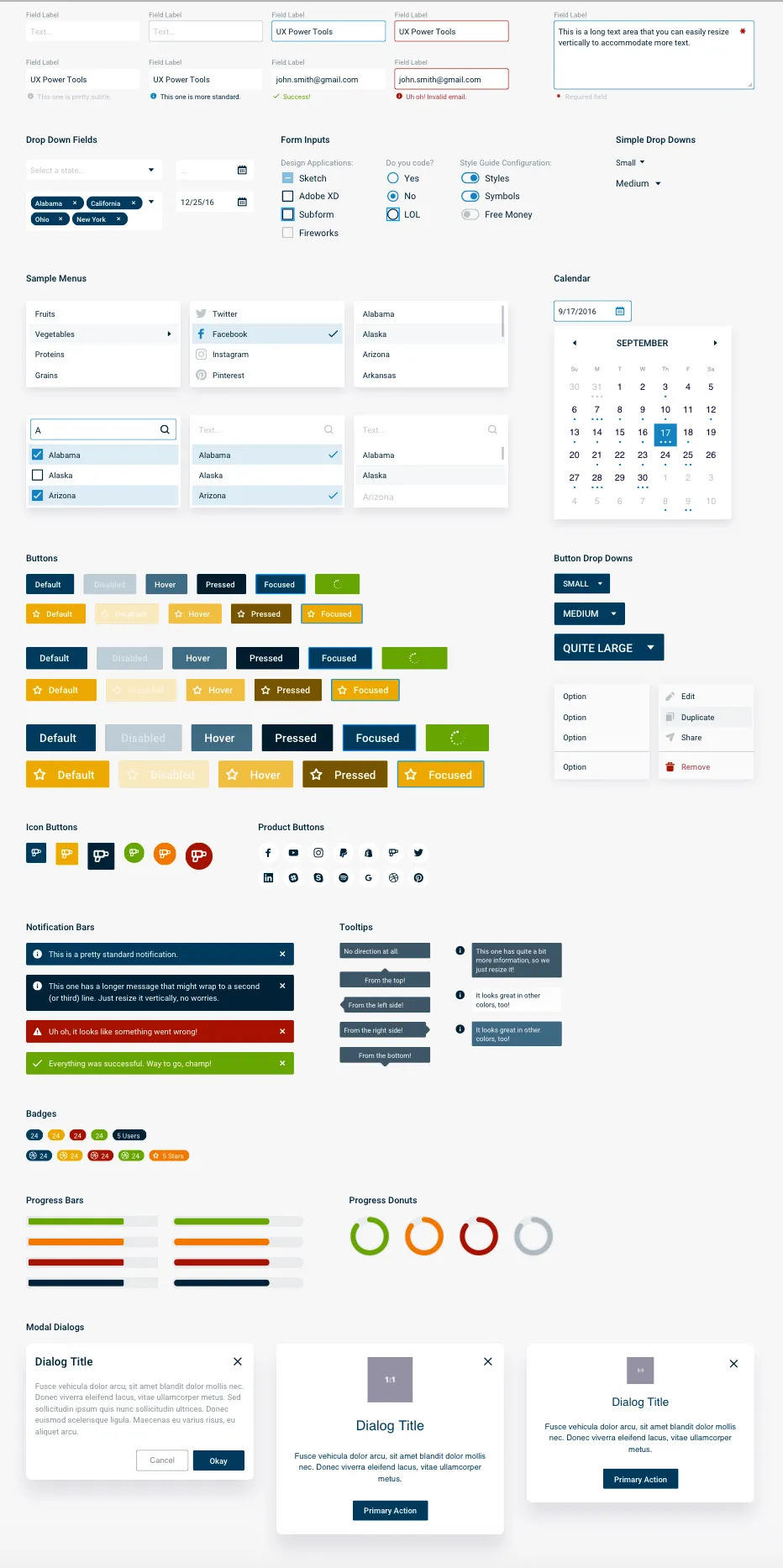
Geospiza had a logo, some colors, and fonts, but no design system, and there wasn’t time to build one from scratch. I started from UX Power Tools, a component structure for Sketch, and fitted it to Geospiza with custom icons, data-visualization patterns, and CSS specs. I published it through InVision so the developers could pull from it directly. That kept design and engineering working at the same time instead of waiting on each other.
During the same engagement I also art-directed the company website redesign, so the product and the brand told the same story to the enterprise prospects Geospiza was courting.
Outcome
We hit the deadline. In six weeks Geospiza had a working MVP and customized high-fidelity prototypes, and used them to pitch the platform to three enterprise companies in pursuit of partnership funding. The final product tracked the mockups closely. That happens when the developers are part of the design process from the first sketch.
What I took from it
A tight timeline is a reason to collaborate more. The co-creation exercise, the shared research doc, and the borrowed design system all looked like shortcuts, and they were the reason we shipped. Knowing the domain paid off too. Because of my drafting background, I didn’t have to learn how maps work. I could spend my design time on the one new problem, the pathway tool.